
By Postal Annex Yorba Linda | Yorba Linda | 714.996.6342
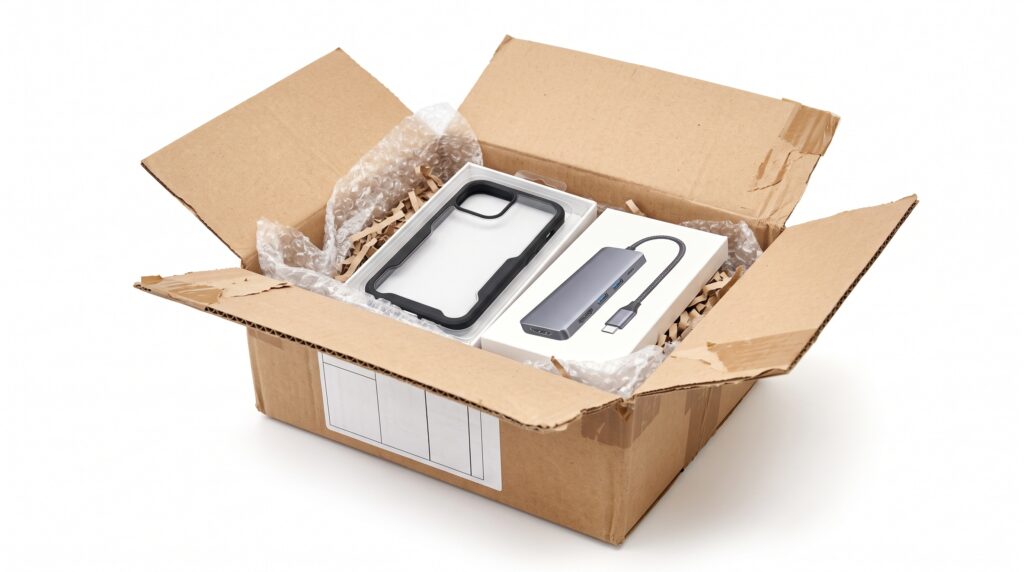
Shipping electronics requires more care than putting a device in a box and adding a little bubble wrap. Computers, laptops, gaming consoles, monitors, cameras, and other electronics can contain sensitive components that may be vulnerable to impacts, vibration, movement, and improper packing. At Postal Annex Yorba Linda, we help customers professionally pack and ship electronics using appropriate boxes and protective materials. If you need to ship a computer, laptop, gaming system, or other electronic device, call 714.996.6342 for professional packing and shipping assistance in Yorba Linda.
📦 Why Electronics Need Special Packing
Electronic devices can appear durable because they’re surrounded by plastic, metal, or other sturdy materials. Inside, however, they may contain circuit boards, connectors, drives, fans, screens, and other components that require protection.
A package can move through multiple facilities and vehicles before reaching its destination.
Even when nothing dramatic happens to the box, ordinary transportation can expose the contents to vibration, shifting, stacking, and repeated handling.
Good electronics packing is designed to limit movement and create protective cushioning between the device and the outside shipping carton.
The heavier and more valuable the equipment, the more important proper packing becomes.
📱 Back Up Important Data Before Shipping
Before packing a computer or other device containing important files, consider backing up your data.
Physical protection can reduce shipping risks, but no packing method can guarantee that an electronic device won’t be damaged, delayed, or lost.
Important documents, photographs, business files, and other valuable data should ideally exist somewhere other than the device you’re shipping.
Depending on the equipment, that might mean using an external storage device or a secure cloud backup service.
Also consider signing out of sensitive accounts and using appropriate device security before shipping a computer or mobile electronic device to another person.
Your data can be more valuable than the hardware itself.
🏷️ Record Model and Serial Numbers
Before you pack valuable electronics, create a record of exactly what you’re sending.
Photograph the device and record relevant model numbers and serial numbers.
Keep purchase receipts, invoices, or other documentation when available.
This can be useful for your own records and may be important if you need to identify the equipment later.
You may also want to photograph the condition of the electronics before packing.
For higher-value equipment, keeping organized records is a simple precaution that can be worthwhile.
🔌 Disconnect Cables and Accessories
Don’t leave unnecessary accessories loosely connected to a computer or gaming system during shipping.
Disconnect removable cables, power cords, controllers, external drives, adapters, and other accessories when appropriate.
Bundle and protect them separately.
Loose accessories shouldn’t be allowed to strike the primary device inside the shipping box.
If you’re sending several cables, consider organizing or labeling them so the recipient can easily identify where everything belongs.
Small accessories can also be placed in separate protective bags or wrapping so they don’t become lost among packing materials.
🖥️ Protect Screens Carefully
Screens are among the most vulnerable components on many electronic devices.
Laptops, monitors, tablets, televisions, and handheld gaming devices all require careful screen protection.
Avoid placing hard accessories directly against a screen.
A power adapter, controller, or cable connector that shifts during transportation could potentially press against or strike the display.
The device should be packed so the screen is protected from direct pressure and impacts.
Large monitors and televisions can be especially challenging to ship because their size creates additional packing considerations.
For expensive or unusually sized displays, professional electronics packing may be the safer approach.
💻 How to Pack a Laptop for Shipping
Laptops are compact, but that doesn’t mean they should simply be placed in a padded envelope.
When shipping a laptop, protect the computer from movement and impacts.
Make sure the laptop is powered down and closed securely. Protect its exterior from scratches, and use adequate cushioning around the device.
The laptop should then be placed in an appropriately sized, sturdy shipping box with sufficient protective material.
The computer shouldn’t be able to slide from one side of the carton to the other.
Power adapters and accessories should be wrapped separately so they can’t strike the laptop.
Depending on the device and shipping circumstances, additional packaging may be appropriate.
🖥️ How to Pack a Desktop Computer
Desktop computers can be more complicated because they’re larger and heavier than laptops.
The computer tower should be protected with cushioning appropriate for its weight.
A heavy computer can compress lightweight packing materials, so the packing method needs to keep the tower securely positioned.
If you’re shipping a custom gaming PC or another computer with large internal components, additional considerations may apply.
Large graphics cards, CPU coolers, and other heavy internal components can experience stress if the computer is subjected to significant movement.
Depending on the system configuration, a knowledgeable computer professional may recommend removing or separately securing certain components before transportation.
When in doubt, consult the equipment manufacturer or a qualified computer professional before preparing a highly customized system for shipment.
🎮 How to Ship a Gaming Console
Whether you’re shipping a PlayStation, Xbox, Nintendo system, or another gaming console, the basic principle is the same: prevent movement and protect the hardware from impacts.
Power the console down and disconnect cables and accessories.
Controllers should be wrapped separately.
Don’t place a controller, power adapter, or other hard object directly against the console without protection between them.
If you’re shipping physical games along with the system, keep them organized so they can’t move freely around the device.
When the package is complete, the console and accessories should remain securely positioned inside the shipping carton.
📦 Is the Original Electronics Box Best?
If you still have the manufacturer’s original packaging and it’s in excellent condition, it may be useful.
Original packaging often includes inserts designed specifically around the shape of the device.
However, having the original box doesn’t automatically mean the equipment is ready for shipping.
Some retail packaging is designed primarily for displaying and protecting a product through its original distribution process. Its condition also matters.
If the box has been stored for years, exposed to moisture, crushed, torn, or otherwise weakened, it may no longer provide appropriate protection.
Depending on the item and shipping method, placing the manufacturer’s packaging inside an additional shipping carton may provide another layer of protection.
📦📦 When Should You Double Box Electronics?
Double boxing electronics can provide additional protection for certain valuable or fragile devices.
The electronic item is securely packed inside an inner carton. That carton is then cushioned inside a larger outer shipping box.
The space between the boxes provides an additional buffer.
However, double boxing only works effectively when both boxes are properly packed.
If the inner carton moves freely inside the outer box, you’ve simply created another opportunity for the contents to shift.
The inner package should be cushioned and securely positioned within the outer carton.
Double boxing can be especially useful for certain computers, gaming systems, delicate electronics, and high-value equipment.
🫧 Use Enough Cushioning
A few pieces of packing material placed on top of an electronic device aren’t enough.
The equipment needs protection around vulnerable surfaces and appropriate cushioning between it and the walls of the shipping carton.
The exact material and amount needed depend on the item’s weight, shape, and fragility.
Bubble cushioning, foam, packing paper, and specialized protective materials may all have a role depending on the shipment.
Pay particular attention to corners.
Corners can receive significant forces when a package is placed down, dropped, bumped, or stacked.
The finished package should hold the electronics securely without allowing excessive internal movement.
↔️ The Shake Test: Your Electronics Shouldn’t Move Freely
Before sealing your package, gently check for movement.
You shouldn’t hear accessories bouncing around or feel the primary device sliding from one side of the carton to the other.
If significant movement is noticeable, additional packing may be needed.
Don’t confuse tightly packed with properly packed, however.
The goal isn’t to force electronics into a box that’s too small. You want adequate cushioning surrounding the equipment while preventing unnecessary movement.
A properly selected shipping carton makes achieving that balance much easier.
🔋 Pay Attention to Lithium Battery Shipping Rules
Many modern electronics contain lithium-ion or lithium-metal batteries, and these batteries are subject to transportation rules.
Laptops, tablets, smartphones, cameras, handheld gaming systems, wireless accessories, and many other devices may contain lithium batteries.
Shipping requirements can depend on factors including the battery type, battery capacity, whether the battery is installed in equipment, the number of batteries, carrier, transportation method, and destination.
Damaged, defective, or recalled batteries can be subject to additional restrictions and may not be accepted through ordinary shipping services.
Don’t guess when shipping battery-powered electronics.
Ask about current requirements for your particular device and destination before sending it.
✈️ International Electronics Shipping Requires Extra Planning
Sending electronics internationally can introduce customs and regulatory considerations in addition to battery rules.
You may need to provide an accurate description of the item, its value, country of origin, and other information required for customs documentation.
The destination country may impose taxes, duties, restrictions, or other requirements.
Certain electronic equipment may also be restricted depending on the destination.
Before shipping electronics internationally, check the applicable requirements and understand that customs processing can affect delivery timing.
Accurate documentation is an important part of international shipping.
🔎 Choose Tracking for Valuable Electronics
Electronics are often expensive, making package tracking particularly useful.
Tracking allows the sender and recipient to monitor recorded shipment progress and delivery events.
Keep your tracking information until you know the package has been successfully received.
Depending on the carrier and service, additional delivery options may also be available.
For valuable electronics, consider asking about signature-related delivery services when appropriate.
The right combination of tracking and delivery options can provide additional visibility into an important shipment.
🛡️ Ask About Declared Value and Available Protection
Don’t assume that a valuable computer automatically has financial protection equal to its purchase price simply because you’ve paid to ship it.
Carrier terms regarding declared value, liability, and available shipment protection can vary.
Before shipping expensive electronics, ask what options are available and what limitations or exclusions may apply.
You should also understand what documentation might be required if you later need to make a claim.
Receipts, invoices, serial numbers, and photographs may be useful records depending on the circumstances and applicable carrier requirements.
Understanding these details before shipping is much better than researching them after a problem occurs.
🩹 Seal the Shipping Carton Securely
After the electronics are properly protected, the carton needs to stay closed.
Use quality packing tape intended for shipping.
Pay particular attention to the top and bottom seams, especially when the package contains a heavy desktop computer or other substantial equipment.
A heavy device places additional stress on the shipping carton.
Avoid relying on lightweight household tape or other materials that aren’t designed to secure packages during transportation.
The strength of your box and the quality of the seal are important parts of the overall packing system.
⚠️ Common Mistakes When Shipping Electronics
One common mistake is using a shipping box that’s barely larger than the device.
Without enough room for appropriate cushioning, impacts can transfer more directly to the electronics.
Another mistake is using a huge box without properly securing the contents.
Other problems include leaving accessories loose, failing to protect screens, using damaged cartons, insufficiently securing heavy equipment, and failing to check battery-related shipping requirements.
Also avoid assuming that a FRAGILE label compensates for poor packing.
Proper packaging should be your primary protection.
💰 Don’t Choose a Shipping Service Based Only on Price
When you’re sending a $1,000 laptop or an expensive gaming computer, saving a small amount on shipping shouldn’t necessarily be the only consideration.
Compare delivery speed, tracking, signature options, carrier requirements, available shipment protection, and overall cost.
The best option depends on the equipment, destination, value, and how quickly it needs to arrive.
For business equipment, timing may be particularly important because a delayed computer can affect productivity.
A packing and shipping center can help you review available choices for your specific shipment.
👨🔧 When Professional Electronics Packing Makes Sense
Some electronics are straightforward to pack. Others aren’t.
Professional packing may be especially worthwhile when you’re shipping an expensive laptop, desktop computer, gaming PC, large monitor, gaming console, camera system, business equipment, or another high-value electronic device.
It can also make sense when you no longer have the original packaging.
Rather than searching for the right box and purchasing several different packing materials, you can bring the equipment to a professional packing location.
The item can be evaluated for its size, weight, shape, and protection needs before the shipment is prepared.
📍 Get Help Shipping Electronics in Yorba Linda
Electronics can be expensive to repair and even more expensive to replace, so don’t treat packing as the least important part of the shipment.
Back up important data, document your equipment, protect screens, separate accessories, use appropriate cushioning, prevent movement, check lithium battery requirements, and select a shipping service that fits your needs.
And if you’re not confident packing expensive electronics yourself, professional help is available.
Postal Annex Yorba Linda can assist with packing and shipping computers, laptops, gaming systems, electronics, and other challenging items. Call 714.996.6342 for professional packing and shipping assistance in Yorba Linda.